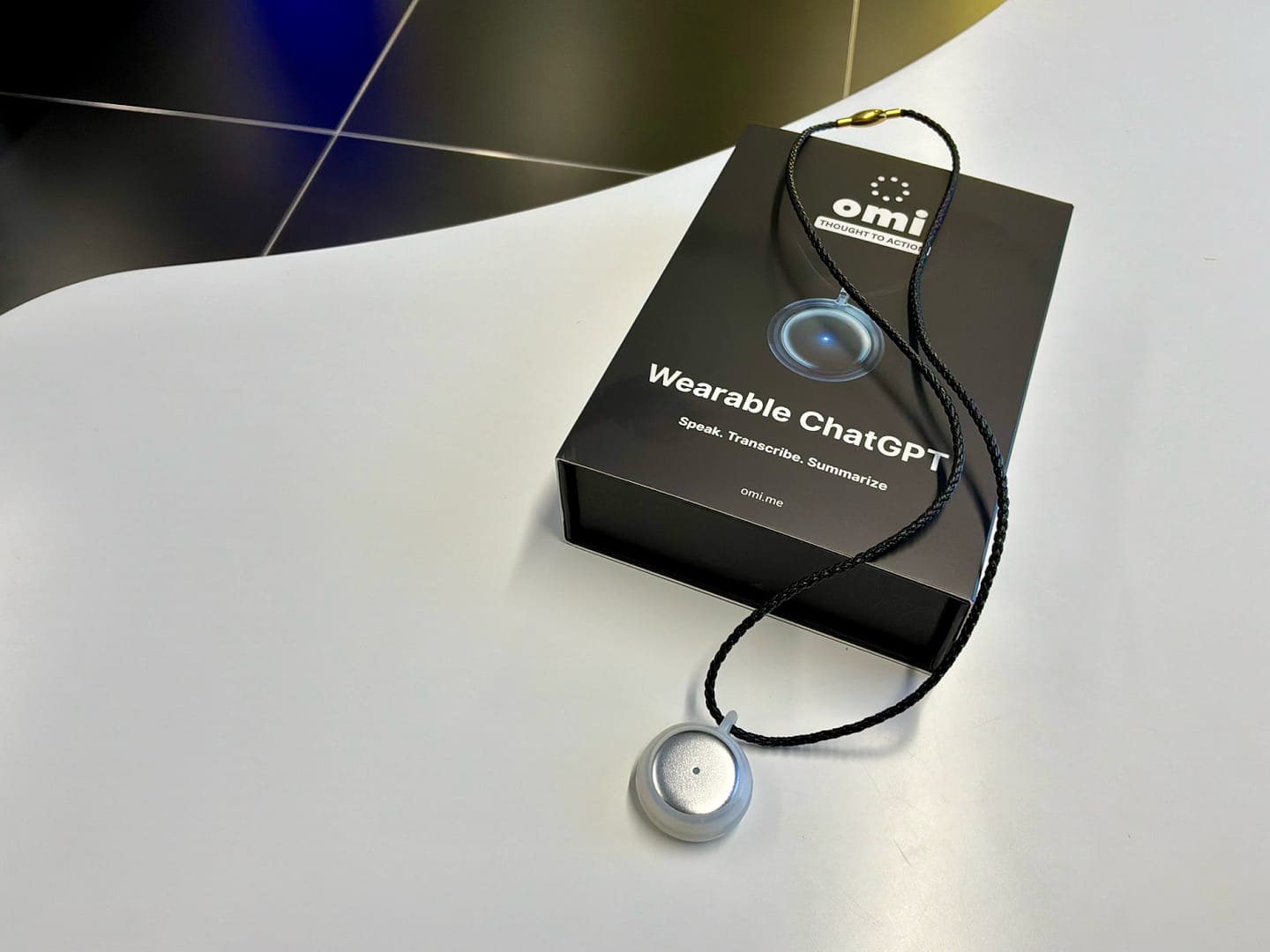
A cool part of my job is the access it gives me to the latest, most innovative, and often weird emerging tech. The Innovation Lab team recently decided to purchase the OMI AI wearable, a necklace-like device that listens to your conversations and returns useful insights.
Originally, we thought it was something you wore on the side of your face, near your temple, as OMI AI’s social content would seem to suggest. Turns out people had just stuck it to their faces with medical tape…bit weird, but no judgement here. Cyborg-core might be the next fashion trend.
I used it for a week, and here are my thoughts.
First impressions
The OMI AI device is minimalist in its design; a rounded silver pebble-like gadget with a single light in the centre to communicate battery life and whether it’s on or off. It’s made of metal, so it’s relatively robust, and is about the size of a £2 coin. To turn it on or off, you press and hold until the device vibrates and the light changes. In terms of physicality, that’s pretty much it.
How it plays
Onboarding was straightforward; you do need to install the companion smartphone app to actually use it, so it’s unfortunately not a standalone tool. The app acts as the brain behind the experience, which makes me question if the device is really just a Bluetooth mic, and it’s actually the software that you’re really paying for.
OMI learns your voice by prompting you to answer a series of personal questions to gather: your name, age, location, and occupation. Once it’s live, it listens to everyone in the room, sectioning off individual conversations and identifying the key theme. The app itself is pretty intuitive, and it does a good job of identifying actionable steps from a discussion, both personal and professional. One thing I did notice is that it stores recordings of conversations, and depending on how long these are, they can take ages to load. The transcripts aren’t always great, with certain things being misinterpreted, which makes me question the accuracy of the conversation summaries.
You can integrate trusted 3rd party plugins for bonus features, like Google Calendar, Whoop, and Spotify. These can be quite convenient, like a portable Siri or Alexa that integrates with your app ecosystem. It’s also a bit of the wild west, featuring rather “interesting” plugins like Bitcoin Live, which gives you the latest Bitcoin price when prompted. Also, “KOL – The Girlfriend Retainer” is available to analyse intimate conversations and “identify communication patterns, emotional tones, and potential sources of conflict”. This plugin seems like it’s been created with good intentions, but I can’t help but feel like it’s for those who lack introspection and self-awareness. But I digress, back to OMI.
What do I think?
OMI AI is an interesting development in the conversational AI and productivity-tech niche. For those with poor memories or who prefer an additional note-taking medium, it can be pretty handy. OMI also positions itself as a helpful assistant for those with ADHD, as it reduces cognitive load by taking notes and allowing you to remain present, which is neat.
One of my concerns is that if widely adopted, users will rely on the device to take notes, removing their need to listen intently so they focus on other tasks, creating a disconnect. By outsourcing listening to an external tool, could we see the atrophy of listening skills as a whole? Maybe that’s extreme, but as the saying goes, if you don’t use it, you lose it.
Another concern is around consent and data security. People may use the device as a way to gather confidential or personal information without disclosing to others that they are being recorded. OMI does state that it complies with enterprise safeguarding standards, and that it does not use conversations to train AI models without the user’s consent, but it’s unclear that this extends to 3rd party plugins – I’d imagine not, so users should be extra cautious when installing these.
For those with poor memories or unique professional needs, it’s a good tool. But for my day-to-day? I’ll probably be sticking to my own brain for now.
Behind the piece

More like this